
Hello in this tutorial, we will show you how to use your "Promo Code" in Ocurus. First of all,
First of all, You needs to register your account in Ocurus. See the registration & login tutorial.
After you registered you can see "UPGRADE ACCOUNT" button as you seen from the image below. Then click on it.
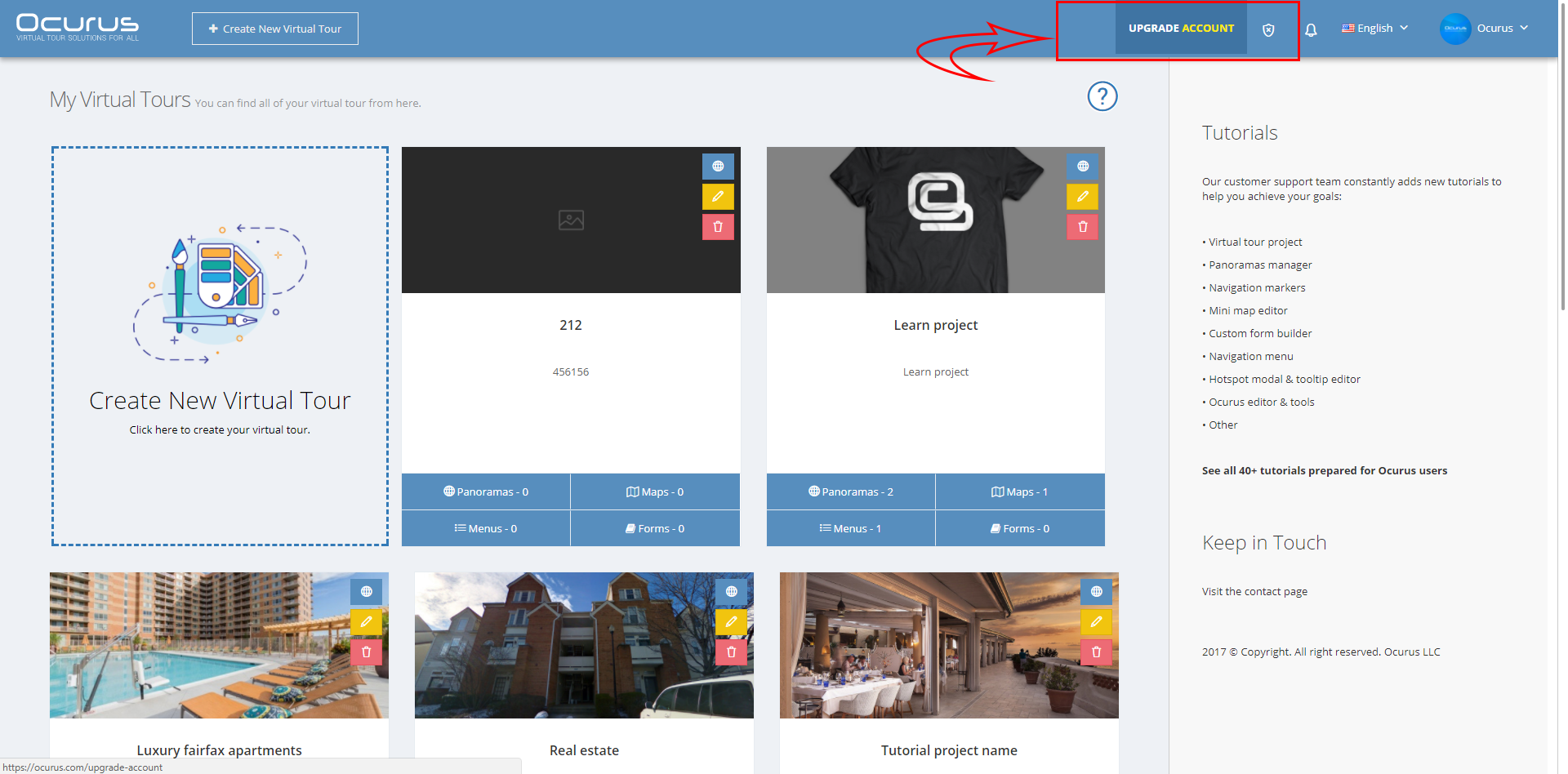
After you click on the "UPGRADE ACCOUNT" link, you can see a screen that same as image below.
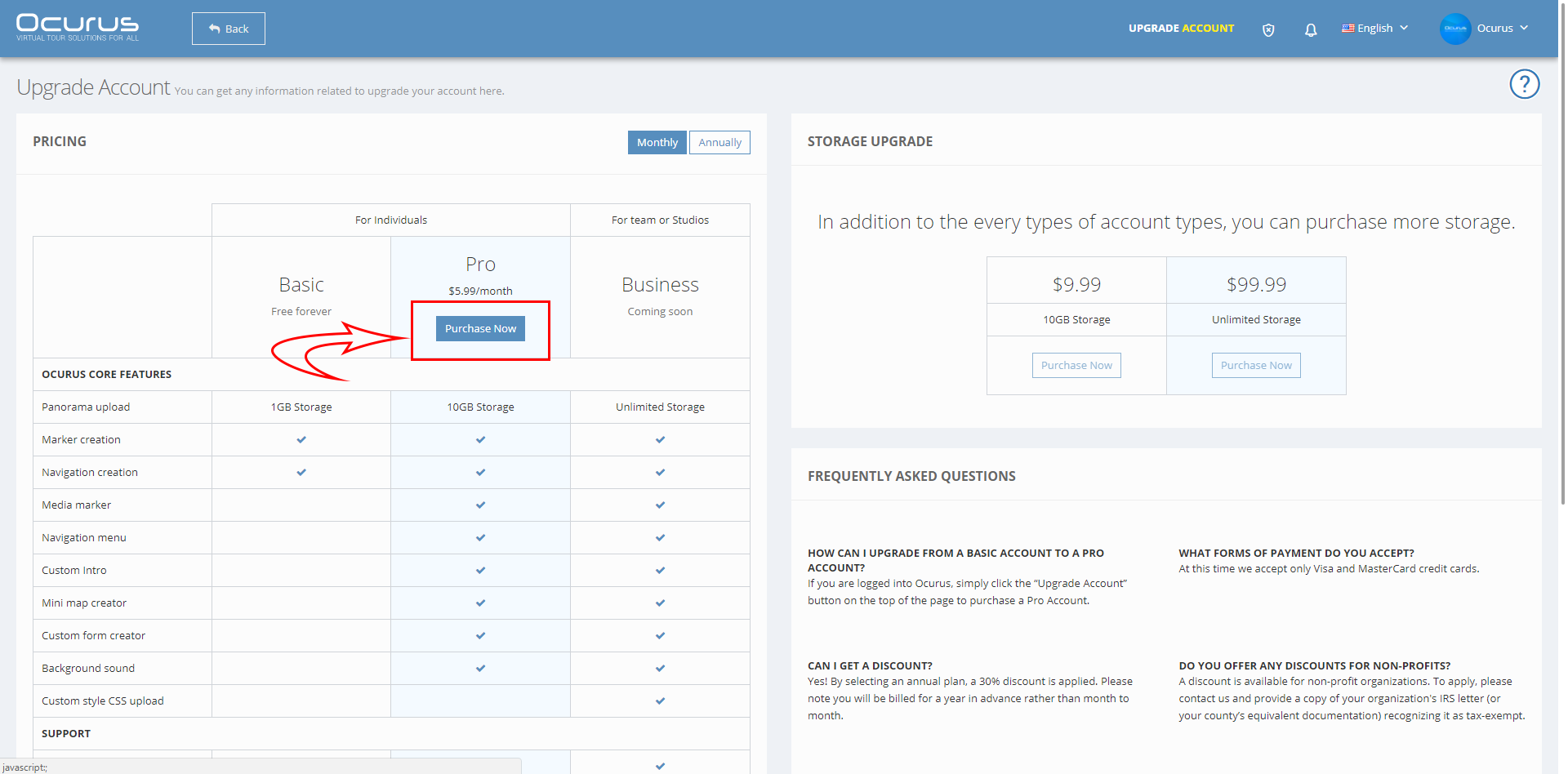
Click on the "Purchase Now" button to open pop-up window that can insert payment details.
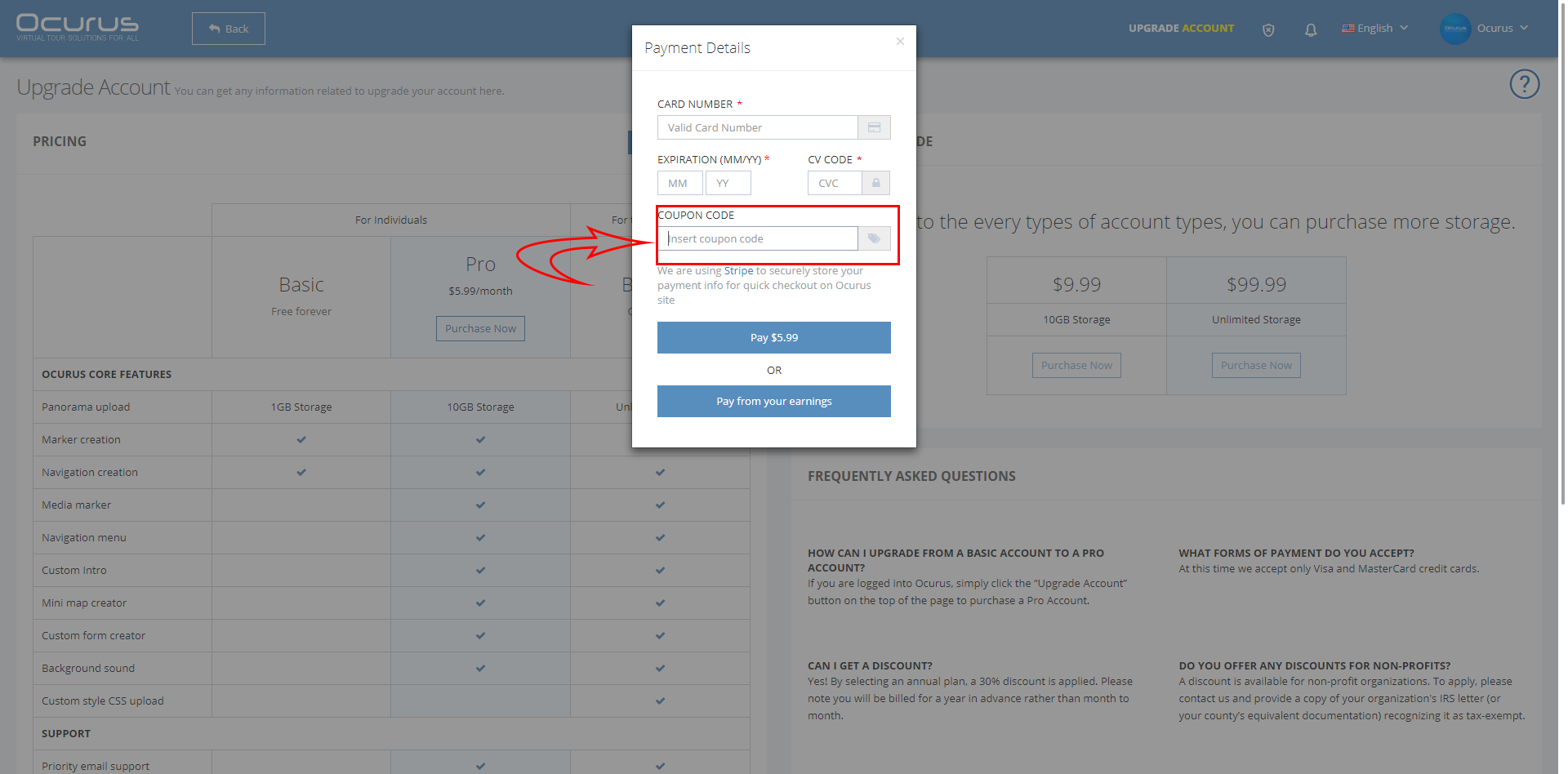
We are using Stripe to securely store your payment info for quick checkout on Ocurus site. After you use your "Promo Code", we will check and enable your "PRO SUBSCRIPTION" in 0-2 business days.